Blog / AI Video Continuity Checklist for a Three-Shot Short
Guide · 2026-11-26
AI Video Continuity Checklist for a Three-Shot Short
Use this practical AI video continuity checklist to keep characters, wardrobe, lighting, props, backgrounds, lens language, movement, and final holds consistent across three short scenes.
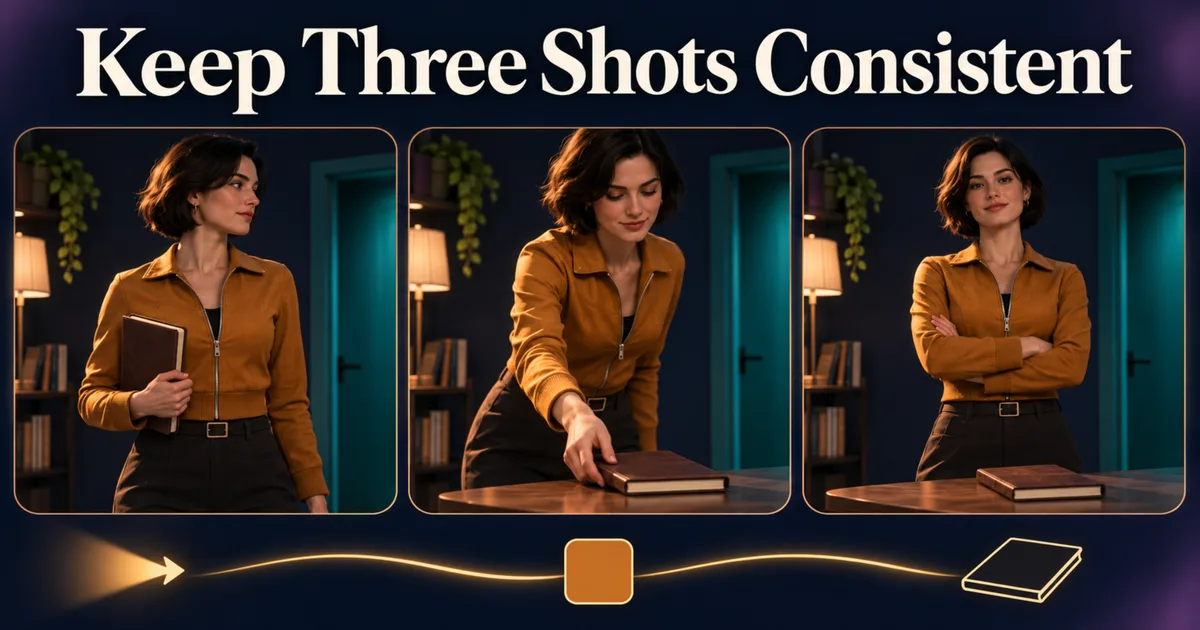
Contents
- Build one continuity spine before writing the prompts
- Carry only facts the viewer can track
- Give each shot one job
- Match character and wardrobe without freezing the performance
- Track props, background anchors, and lens language
- Specify the movement handoff at each cut
- Worked example: Mara, one notebook, three shots
- Three-shot AI video continuity checklist
- Diagnose the first conflicting frame
- Common continuity mistakes
- FAQ A useful AI video continuity checklist preserves a small set of visible facts across all three shots: character reference, wardrobe, lighting direction, prop state, background anchors, and lens language. Movement needs its own handoff. Define how the subject ends one shot, enters the next, and settles into the final hold.
You do not need to repeat the full prompt three times. Carry forward the details that would confuse the viewer if they changed unexpectedly.
Build one continuity spine before writing the prompts
The continuity spine is a short source of truth shared by all three shots. For a fictional adult character, record:
- Recognizable facial proportions, hair silhouette, and distinguishing features
- Wardrobe silhouette, fastening, major colors, and visible accessories
- Dominant light direction and color family
- The location and state of each story-relevant prop
- Two or three background anchors
- One compatible lens and framing family
Keep action, timing, camera placement, and shot-specific composition in the individual shot cards.
| Continuity field | Essential fact to carry | What may change | Break signal |
|---|---|---|---|
| Character | Same reference, face anchors, hair silhouette | Expression, gaze, pose | Different facial structure or hairstyle |
| Wardrobe | Amber jacket, zipped; dark trousers | Natural folds and partial occlusion | Jacket opens, changes cut, or changes color |
| Lighting | Warm key from camera-left | Motivated brightness and distance | Key reverses or color shifts without cause |
| Prop state | Closed notebook in right hand | Location after a shown action | Notebook switches hands or reappears |
| Background | Teal doorway and wall lamp | Minor decoration and depth detail | Doorway moves or room geometry resets |
| Lens language | Eye-level, natural perspective | Medium, close, or restrained wide framing | Face or room becomes abruptly distorted |
| Movement handoff | Orientation, gaze, hand, motion phase | Angle and shot size | Movement reverses or restarts |
| Final hold | Settled body, gaze, prop, and camera | Trimming in the edit | Pose keeps searching or starts a new action |
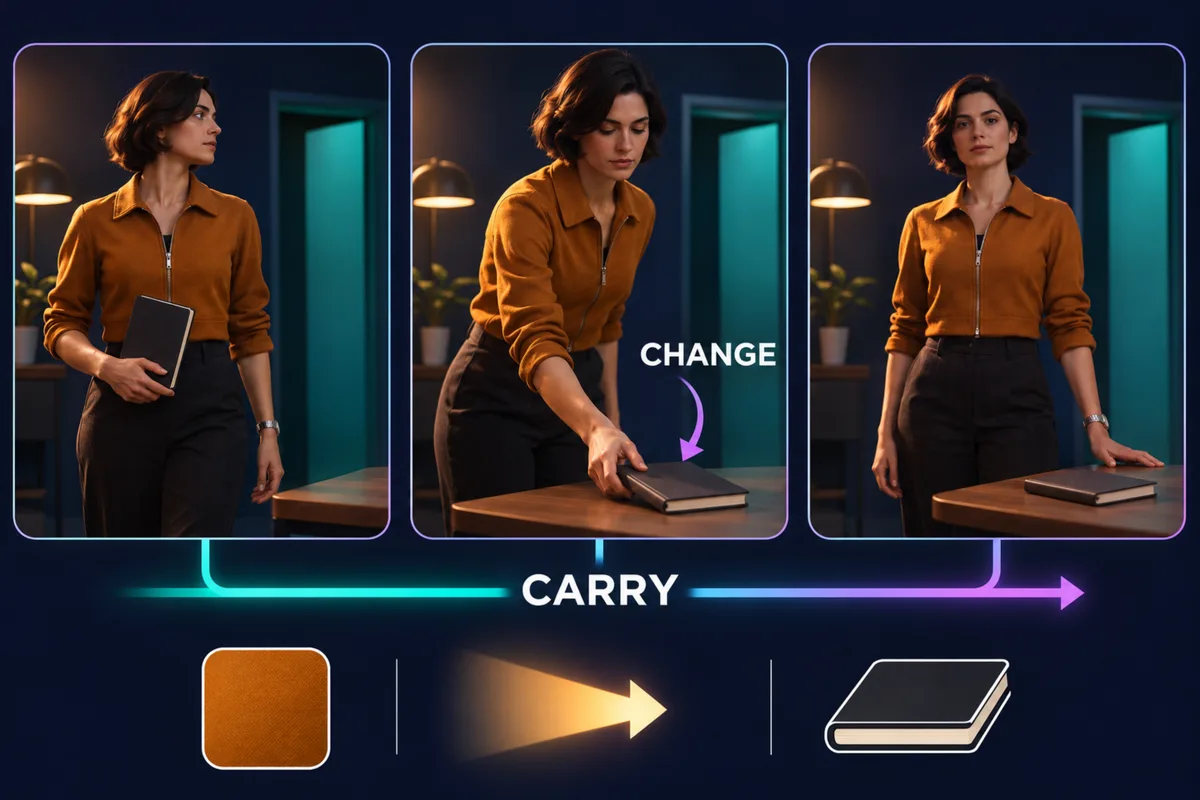
Character identity, wardrobe, camera-left lighting and setting anchors carry through all three shots while the closed notebook changes location through the visible middle action.
Carry only facts the viewer can track
Add a fact to the spine when changing it would affect identity, spatial logic, object history, lighting logic, or the relationship between shots. Leave out unseen biography, decorative prose, irrelevant textures, and instructions that apply to only one beat.
Use one authoritative phrase for each retained detail. If the jacket is defined as amber cropped jacket, zipped, do not rename it a gold coat in one shot and a warm-orange top in another. Those descriptions may sound equivalent to a person, but the variation introduces avoidable ambiguity.
A practical prompt structure looks like this:
SHARED CONTINUITY
[Character, wardrobe, light, prop, background, and lens anchors]

SHOT-SPECIFIC ACTION
[Current composition, one primary event, and timing]

HANDOFF
[Ending body orientation, gaze, prop position, motion phase, and camera state]
Keep the shared block unchanged. Edit the shot block only where the story changes, and use each handoff to define the opening of the next shot.
Give each shot one job
Shot 1 establishes the scene. Show enough of the character, wardrobe, lighting, space, and initial prop state for the viewer to understand what they are seeing.
Shot 2 develops the action. Inherit the first handoff and change one meaningful element, such as moving a notebook from the character’s hand to a table.
Shot 3 resolves the sequence. Preserve the new body and prop states, complete the final action, and settle into an editable hold.
Each shot should have one readable purpose. The one-motion, one-camera scene-brief guide can help reduce an individual shot to one main subject action and one coherent camera idea.
Match character and wardrobe without freezing the performance
A master character image or concise reference description should preserve the features that establish identity: facial proportions, hair outline, distinguishing features, wardrobe cut, major colors, and visible accessories.
Expression, gaze, pose, and framing can still change with the sequence. Continuity does not require three identical portraits.
Same person and outfit gives the generator little to match. A visible anchor list is more useful: Mara, fictional adult; oval face; short dark bob; amber cropped jacket zipped; narrow silver watch on left wrist. Age history, personality lore, and unseen clothing details add length without helping the cut match.
Brightness may also change. Mara can approach a lamp or turn partly away from it while the warm key from camera-left continues to produce understandable highlights and shadows. Adjacent shots start to feel unrelated when the key reverses, the color shifts without explanation, or the shadow moves independently of the subject.
Track props, background anchors, and lens language
Use a simple record for every important object:
PROP — owner/location — orientation — state
Notebook — Mara’s right hand — spine downward — closed
Update it only after a visible action changes the prop. The notebook should not silently switch hands, return after being set down, rotate without an action, or change from closed to open between shots.
For the background, choose two or three high-value anchors, such as a teal doorway, wall lamp, and navy wall. Trying to preserve every decoration can overload the prompt without making the space any clearer.
Lens language covers perceived distance, perspective, camera height, and framing style. An eye-level medium shot, a matching close-up, and a restrained wider resolution shot can share one visual family. An unexplained jump to an exaggerated wide-angle perspective may reshape both the face and the room even if the character description stays unchanged.
Choose a dominant camera grammar too. The comparison between handheld and locked-off camera language can help with that decision. In either style, maintain screen direction and spatial logic. Handheld motion does not make a reversed action less noticeable.
Specify the movement handoff at each cut
The handoff connects the end of one shot to the beginning of the next. Record five facts:
- Body orientation
- Gaze direction
- Active hand and prop position
- Movement direction and phase
- Camera motion or stillness
The opening frame does not have to reproduce the previous frame exactly. It needs to begin from a compatible state. You can handle the cut in three ways:
- Continue the motion while matching its direction and phase.
- Complete the action before the cut, then start a new action from the settled state.
- Change the angle deliberately while preserving screen direction and object history.
The last shot hands off to the edit instead of another generated shot. Complete the meaningful action, settle the body and gaze, leave the prop state readable, and resolve any camera movement. The required hold depends on the edit and the available generation controls; stability matters more than a universal duration.
Worked example: Mara, one notebook, three shots
Mara is a fictional adult in a fully clothed, non-explicit studio sequence. Her shared spine reads: short dark bob; amber jacket zipped; closed notebook; navy studio; teal doorway behind her; warm key from camera-left; eye-level natural perspective.
| Shot | Shared facts | Single new event | Outgoing state | Inherited by next shot |
|---|---|---|---|---|
| 1: Setup | Full spine; notebook in right hand | Mara turns toward the teal doorway | Body and gaze face the doorway; notebook remains in right hand; camera settles | Orientation, gaze, prop hand, light direction, and room anchors |
| 2: Development | Same identity, jacket, light, room, and perspective | She places the notebook on the table | Notebook lies closed on the table; right hand releases it; body settles beside table | Notebook location and state, released hand, body position, and screen direction |
| 3: Resolution | Same anchors; notebook stays on table | Mara returns her gaze toward camera | Gaze, body, notebook, and restrained wider camera become still | Stable endpoint for trimming or ending |
Shot 2 should open during or after the turn established in Shot 1, rather than resetting Mara to a front-facing pose. Shot 3 must leave the notebook on the table. Its wider framing may reveal more of the room, but the doorway, lighting direction, and perspective should still describe the same space.
Three-shot AI video continuity checklist
- [ ] Character reference locked
- [ ] Facial and hair anchors named
- [ ] Wardrobe silhouette, fastening, and colors fixed
- [ ] Key-light direction and color recorded
- [ ] Important prop state recorded before and after every action
- [ ] Two or three background anchors selected
- [ ] Compatible lens language chosen
- [ ] Body orientation and gaze handed off at both cuts
- [ ] Camera grammar and screen direction kept coherent
- [ ] Final shot given a clear endpoint and stable hold
Keep a versioned sheet with one row per shot. Mark every intentional change so it is easy to distinguish story development from visual drift.
Diagnose the first conflicting frame
Compare the last stable frame of the earlier shot with the first stable frame of the next one. Name the category that changed. The key light switches sides gives you something to correct; the scene feels different does not.
Next, classify the likely cause as a missing shared fact, a contradictory shot instruction, an unsupported transition, or ordinary generation variation. Revise one diagnostic variable, then inspect the same cut again.
| Visible break | Likely cause | First fix to test |
|---|---|---|
| Identity drift | Weak or conflicting character anchors | Restore the authoritative face and hair reference |
| Wardrobe redesign | Vague or paraphrased clothing description | Repeat one exact wardrobe record |
| Reversed lighting | Direction omitted or camera side confused | Reinstate camera-left key and shadow logic |
| Teleporting prop | No outgoing prop state | Add owner, location, orientation, and state |
| Changed room geometry | Too few spatial anchors | Lock doorway, table, and one wall feature |
| Incompatible facial perspective | Lens family changed abruptly | Use a closer view with compatible perspective |
| Reversed movement | Incoming state ignores the handoff | Match orientation, phase, and screen direction |
| Unstable final pose | New action continues after resolution | End the action earlier and request a settled hold |
Start by repairing the continuity record. Then remove conflicting language from the affected shot and simplify the transition if needed. Pasting the entire previous prompt into the next shot can preserve obsolete action, timing, and camera instructions, which creates a new set of conflicts.
Common continuity mistakes
Continuity does not require identical framing or a fixed description of every background detail. A longer character description cannot guarantee identity. Prop changes work when the viewer sees the action that causes them. Lens continuity calls for compatible perspective, not one mandatory focal length. Handheld footage still needs coherent direction. A final hold gives the editor usable material.
FAQ
What belongs in an AI video continuity checklist?
Record viewer-visible identity, wardrobe, light direction, prop state, background anchors, lens language, movement handoffs, and the final hold.
How many character details should carry between shots?
Use the smallest set that preserves recognition: facial proportions, hair silhouette, distinguishing features, clothing silhouette, major colors, and important accessories.
Can lighting change between shots?
Yes, when movement or a visible source motivates the change. Keep the key-light direction, color family, and shadow logic understandable unless the story introduces a new light.
How do I keep props consistent?
Record each important prop’s owner or location, orientation, and state before and after every visible interaction.
Must every shot use the same lens?
No. Keep the perceived distance, perspective, camera height, and framing compatible. Shot size can change without making the face or room look rebuilt.
What is a movement handoff?
It is the outgoing body, gaze, prop, movement, and camera state used to define a compatible opening for the next shot.
How do I find the cause of a continuity break?
Compare the two stable frames around the cut, identify the first specific conflict, revise one relevant variable, and review that cut again.
How long should the final hold be?
Make it long enough for the intended edit to recognize a settled endpoint. The duration depends on the action, generation system, and available controls.
Create one eight-field spine, write three shot cards, and compare every outgoing state with the next incoming state before generating. The Dirtyship blog has related guides for refining individual AI short-scene briefs and camera choices.
Prepared for publication on November 25, 2026. Results can vary with the source material, generation system, model, settings, and available controls.